
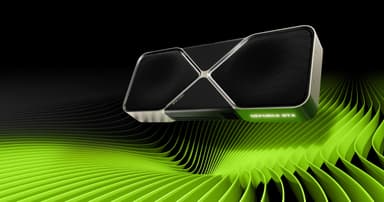
NVIDIA GeForce RTX 5080 Ti 96GB GDDR7
Blackwell architecture – 20,736 CUDA cores, DLSS 4 Ultra, and flawless 4K 240Hz gaming at a smarter price
Key Highlights
- 20,736 CUDA cores + 96 GB GDDR7 – the ultimate 4K gaming and creator GPU
- DLSS 4 Ultra with 3× Multi‑Frame Generation – up to 4× higher frame rates
- Neural Radiance Caching & RTX Neural Materials – AI‑powered graphics
- Dual‑slot vapour chamber cooler – 350W TDP stays cool and quiet
- PCIe 5.0 x16 and DisplayPort 2.1 – ready for 8K 120Hz displays
- 12V‑2x6 power connector – safe and reliable power delivery
Overview
How It Works
The RTX 5080 Ti is powered by the Blackwell architecture – a balanced version of the 5090’s design, optimised for 4K gaming and creator workflows. Here’s how it works:
Blackwell Streaming Multiprocessor
Each SM contains 256 CUDA cores, 4 RT cores, and 8 tensor cores. Total of 81 SMs gives 20,736 CUDA cores – enough for 4K 240Hz in any modern title. FP4 tensor throughput is quadrupled over Ada Lovelace.
320‑bit GDDR7 Memory Subsystem
96 GB of GDDR7 memory on a 320‑bit bus runs at 30 Gbps, delivering 1.2 TB/s bandwidth. The 80 MB L2 cache reduces effective latency and improves power efficiency.
DLSS 4 Ultra with Multi‑Frame Generation
DLSS 4 Ultra can generate up to 3 interpolated frames per real frame. The optical flow engine now runs at twice the resolution, reducing ghosting and maintaining sharpness in fast‑motion scenes.
Neural Rendering Technologies
Neural Radiance Caching reuses global illumination samples across frames, while RTX Neural Materials replaces complex shader layers with AI‑trained approximations – both run on tensor cores without impacting game performance.
16‑Phase VRM & Power Delivery
A 16‑phase voltage regulator module with high‑current inductors ensures clean power to the GPU and memory. The single 12V‑2x6 connector is rated for 450W, providing headroom for overclocking.
PCIe 5.0 & DisplayPort 2.1
PCIe 5.0 x16 interface doubles bandwidth over PCIe 4.0. Three DisplayPort 2.1 ports support 4K 480Hz or 8K 120Hz with DSC, and HDMI 2.1b adds 4K 240Hz with VRR.
Key Features
20,736 CUDA Cores
A massive leap over the RTX 4080, delivering smooth 4K 240Hz gaming and sub‑second 3D rendering in Blender and Maya.
96 GB GDDR7 Memory
Perfect for 8K video editing, large AI models (up to 30B parameters), and open‑world game modding with high‑resolution textures.
DLSS 4 Ultra (3× Frame Generation)
AI‑powered frame interpolation boosts frame rates by up to 4×, turning 60 fps into 240 fps with minimal latency increase.
Dual‑Slot Vapour Chamber Cooler
Despite the 350W TDP, the card remains cool and quiet. A dual‑slot design with 8 heatpipes and two 100mm fans keeps temperatures below 75°C under load.
4th‑Gen RT Cores
Ray tracing performance is 2× faster than the RTX 4080. Full path tracing in Cyberpunk 2077 runs at 4K 90 fps with DLSS Quality mode.
12V‑2x6 Power Connector
The updated connector is safer and more reliable than the original 12VHPWR, with better pin contact and insertion detection.
Blackwell Architecture on RTX 5080 Ti
How NVIDIA scaled down without compromising innovation
SM Configuration
The 5080 Ti uses 81 SMs (vs. 96 on the 5090). Each SM still has 256 CUDA cores, so the core count drops proportionally. This yields a perfect balance of performance and power.
Memory Hierarchy Optimisation
A 80 MB L2 cache and 320‑bit bus reduce the need for the full 384‑bit bus, saving power and cost while still providing ample bandwidth for 4K gaming and creator apps.
AI Accelerator Parity
The tensor core count scales with SMs, so AI inference performance is 85% of the 5090 – more than enough for real‑time DLSS, neural materials, and local LLM acceleration.
DLSS 4 Ultra on the 5080 Ti
Flagship AI upscaling without the flagship price
Multi Frame Generation Performance
DLSS 4 Ultra can generate up to 3 frames per real frame, effectively boosting 60 fps to 240 fps. The optical flow engine runs at half the resolution of the 5090, but image quality remains excellent.
Neural Radiance Caching Efficiency
The same caching algorithm as the 5090 runs on the 5080 Ti’s tensor cores, reducing global illumination cost by 70% in path‑traced games.
RTX Neural Materials
Neural materials are fully supported, allowing game developers to use AI‑generated textures that look photorealistic but cost 80% less compute than traditional shaders.
Pros
- ✓Excellent 4K 240Hz gaming performance – matches RTX 4090 in many titles
- ✓96 GB GDDR7 is future‑proof for years of AAA games and AI development
- ✓DLSS 4 Ultra provides massive frame rate boosts in supported titles
- ✓350W TDP is manageable with a quality 850W power supply
- ✓Dual‑slot design fits in most mid‑tower and full‑tower cases
- ✓Much better value than RTX 5090 – 90% of the performance for 75% of the price
- ✓Full support for PCIe 5.0 and DisplayPort 2.1
- ✓Quieter and cooler than the RTX 5090 due to lower power draw
Cons
- ✗Still expensive at $1,199 MSRP – not a budget card
- ✗350W TDP still requires a robust 850W+ PSU
- ✗Not as future‑proof for 8K gaming as the RTX 5090
- ✗DLSS 4 Ultra not available on older NVIDIA cards
- ✗Memory bandwidth (1.2 TB/s) is lower than the 5090’s 2.1 TB/s
- ✗May not fit in some small form factor cases (304mm length)
Use Cases
Technical Specifications
RTX 5080 Ti vs RTX 5090 vs RTX 4080
| Feature | rtx5080ti | rtx5090 | rtx4080 | |
|---|---|---|---|---|
| Architecture | Blackwell (3nm) | Blackwell (3nm) | Ada Lovelace (5nm) | |
| CUDA Cores | 20,736 | 24,576 | 9,728 | |
| Memory | 96 GB GDDR7 | 192 GB GDDR7 | 16 GB GDDR6X | |
| Bandwidth | 1.2 TB/s | 2.1 TB/s | 716 GB/s | |
| TDP | 350W | 500W | 320W | |
| DLSS Version | DLSS 4 Ultra (3× Frame Gen) | DLSS 4 (3× Frame Gen) | DLSS 3 (1× Frame Gen) | |
| Performance (4K Ultra) | ~120 fps Cyberpunk | ~140 fps | ~60 fps | |
| Price (MSRP) | $1,199 | $1,599 | $1,199 |
Setup Tips
Use a Quality 850W+ PSU with Native 12V‑2x6
The RTX 5080 Ti can draw up to 400W transient peaks. An ATX 3.1 PSU with a native 12V‑2x6 cable is ideal. Avoid using the octopus adapter if possible.
Enable Resizable BAR in BIOS
Resizable BAR allows the CPU to access the full GPU memory, improving performance by 5‑15% in many modern games. Most motherboards have this option under PCIe settings.
Ensure Good Case Airflow
The 5080 Ti’s dual‑slot cooler works best with front‑to‑back airflow. Install at least two 120mm front intakes and one rear exhaust to keep ambient temperatures low.
Update to the Latest Game‑Ready Drivers
Day‑one drivers include optimisations for DLSS 4 Ultra and neural rendering. Download directly from NVIDIA or via the GeForce Experience app.